GA4 and GTM setup that matches your store's numbers
Purchase events missing, firing twice, or reporting revenue that is 20% off what Shopify says. I rebuild the dataLayer and the container so GA4 reports what actually happened.
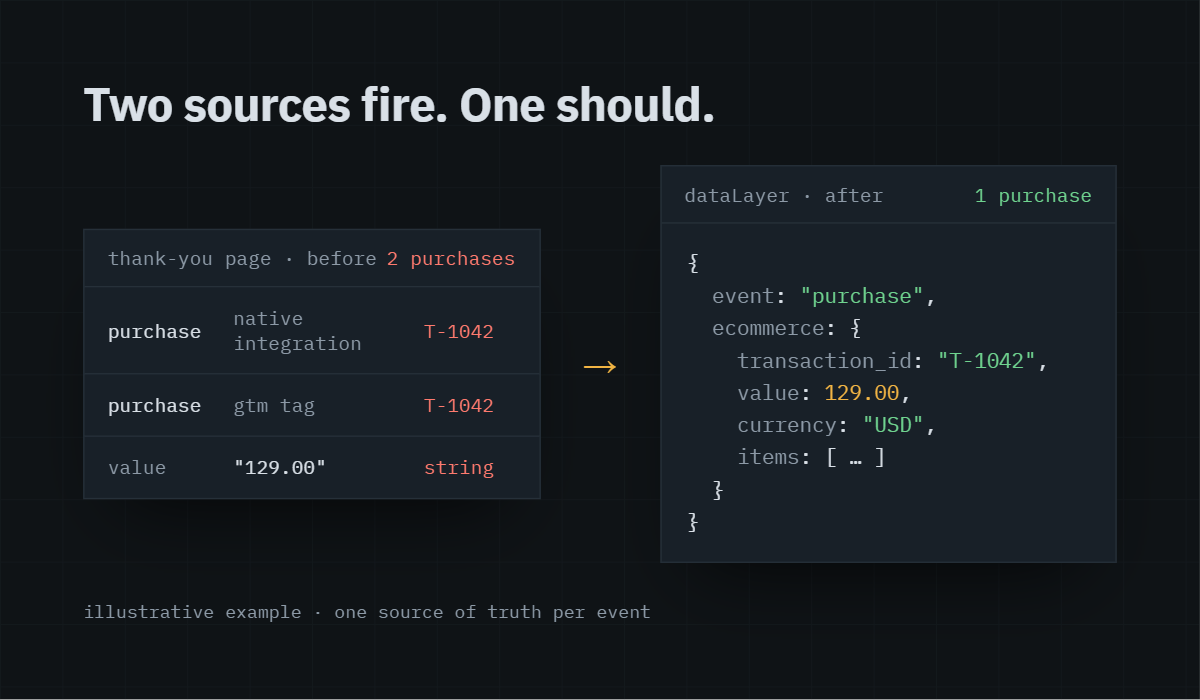
The problem you're seeing
GA4 shows fewer purchases than your order list, or more. Revenue is off by a margin nobody can explain. The checkout funnel drops to zero at the payment step. Google Ads imports conversions and the numbers look nothing like your bank account.
Usually the store was set up by a theme developer, a plugin, and two different agencies, and each one added a tag. Now three things fire on the thank-you page and none of them agree.
Why it happens
›
Shopify’s native GA4 integration and a GTM container running side by side, so every purchase is counted twice.
›
Purchase events hanging off a page view instead of the order confirmation, so refreshes and back-button visits count as sales.
›
No transaction ID deduplication, or an ID that changes between the dataLayer and the tag.
›
Currency and value pushed as strings, or value including shipping in one place and excluding it in another.
›
Checkout steps built on URL patterns that stopped matching after a theme update.
What I do
01
Audit the live site with GTM preview, GA4 DebugView and the network tab, and document every event that fires on every step of the funnel.
02
Strip the duplicates. One source of truth for each event, usually a clean dataLayer push from the platform’s order confirmation.
03
Rebuild the GTM container: variables, triggers and tags named so the next person can read them, with a dedicated ecommerce tag per event.
04
Pass the full item array, transaction ID, value, tax, shipping and coupon on purchase so GA4’s ecommerce reports actually populate.
05
Verify on real test orders, compare GA4 against the platform order export for the period, and only then call it done.
What you get
A working GTM container, a GA4 property where purchases and revenue match your order export within the normal timing variance, a one-page document listing every event and where it fires, and a short screen recording of the verification.
Who this is for
Shopify and WooCommerce stores spending on ads, agencies who inherited a client’s broken setup, and anyone who has stopped trusting the numbers in GA4.
Questions I get asked
How long does a GA4 and GTM rebuild take?
Most stores take three to five working days from access to verified. Larger catalogues with custom checkouts take longer, and I’ll tell you before I start.
Will I lose historical data?
No. GA4 history stays. I fix what fires going forward and annotate the change date in the property so your reports show where the line is.
Do you work with Shopify's checkout extensibility and customer events?
Yes. For Shopify, purchase tracking goes through the customer events pixel, not the old additional scripts box, and I set it up that way.
Can you fix Google Ads conversions at the same time?
Yes. Once the purchase event is clean I import it into Google Ads or fire a dedicated Ads conversion tag from the same dataLayer push.
What access do you need?
GTM container at publish level, GA4 property at editor, and store admin or a collaborator account. I never need your payment or customer data.
Find out what's actually broken.
A tracking audit tells you exactly which events are wrong, why, and what it takes to fix them. No pitch deck, just the findings.