
Marketing automation and AI workflows that remove manual work
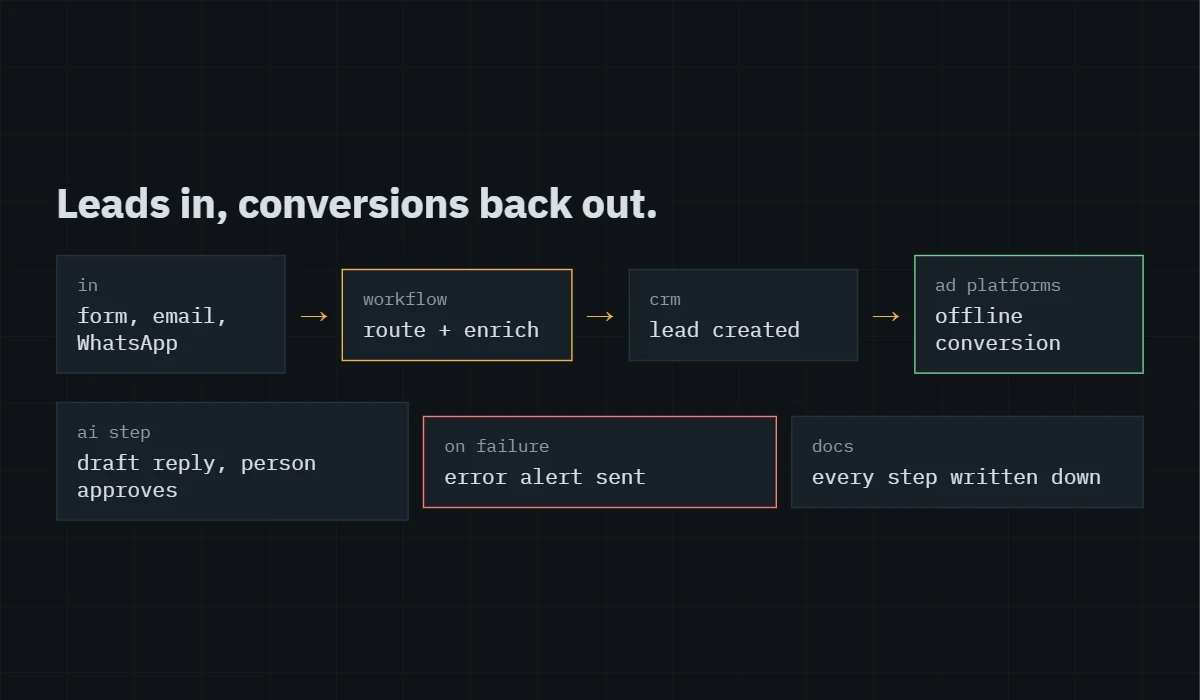
Lead routing, CRM updates, reporting and repetitive admin, connected with tools like Zapier, Make or Google Apps Script, with AI steps only where they genuinely save time. Every workflow is documented so it never becomes a black box.
The problem you're seeing
Leads arrive by form, email and WhatsApp, and someone copies them into a spreadsheet by hand. Offline sales never make it back to Google Ads or Meta. Reports get rebuilt every week. Follow-up emails go out late or not at all.
Automation fails when it’s built in a hurry and never written down. A step breaks silently, a field gets renamed, and leads stop flowing for weeks before anyone notices.
Why it happens
›
Manual copy-and-paste between forms, inboxes, spreadsheets and the CRM.
›
Ad platforms that never learn which leads became customers, so they keep optimizing for form fills.
›
Automations with no error alerts, so failures go unnoticed.
›
AI tools bolted on without a clear job, producing output someone still has to check line by line.
›
Workflows only one person understands, with no documentation.
What I do
01
Map the process as it runs today, step by step, and agree which parts are worth automating.
02
Build the workflow in the tool that fits your stack, with error alerts so failures can’t go unnoticed.
03
Send results back to the ad platforms where it helps, such as qualified leads or offline sales as conversions for Google Ads and Meta.
04
Add AI steps only where they save real time, such as summarizing enquiries or drafting first replies, with a person approving anything customer-facing.
05
Document every workflow and hand it over with a short recording.
What you get
Working automations with error alerts, conversions flowing back to your ad platforms where relevant, and documentation that lets you or anyone else maintain them.
Who this is for
Small teams buried in repetitive admin, lead-generation businesses that never see which ads produced real customers, and owners who want AI to help without handing it the keys.
Questions I get asked
Which tools do you use?
Whatever fits what you already pay for: Zapier or Make for connecting apps, Google Apps Script for Sheets and Workspace jobs, and the built-in automations in your CRM or email platform.
Will AI email my customers on its own?
Not unless you want it to. By default anything customer-facing waits for a person to approve it.
What happens when something breaks?
Every workflow sends error notifications to an address you choose, and the documentation explains each step, so it can be fixed quickly.
Can you connect my CRM to Google Ads?
Usually yes, through a native integration or an automation that sends qualified leads and sales back as offline conversions.
Start with what you can measure.
Tell me what you want to improve and what you’ve already tried. I’ll reply with what I’d look at first and whether I’m the right person for it.